CTL-DOC LogoCTL-DOCby CTL POWER
Android Quote App · Offline Windows PC Software

Professional quote and invoice software in a few clicks.

CTL-DOC by CTL POWER helps technicians and contractors create clean PDF quotations and invoices from an Android phone or Windows PC — even offline on PC.Create PDF quotes and invoices in clicks on mobile and offline PC.

Create a quote

1-minute signup · WhatsApp support included · See how it works

lectronik.com
CTL-DOC Windows PC dashboard for quotes and invoices
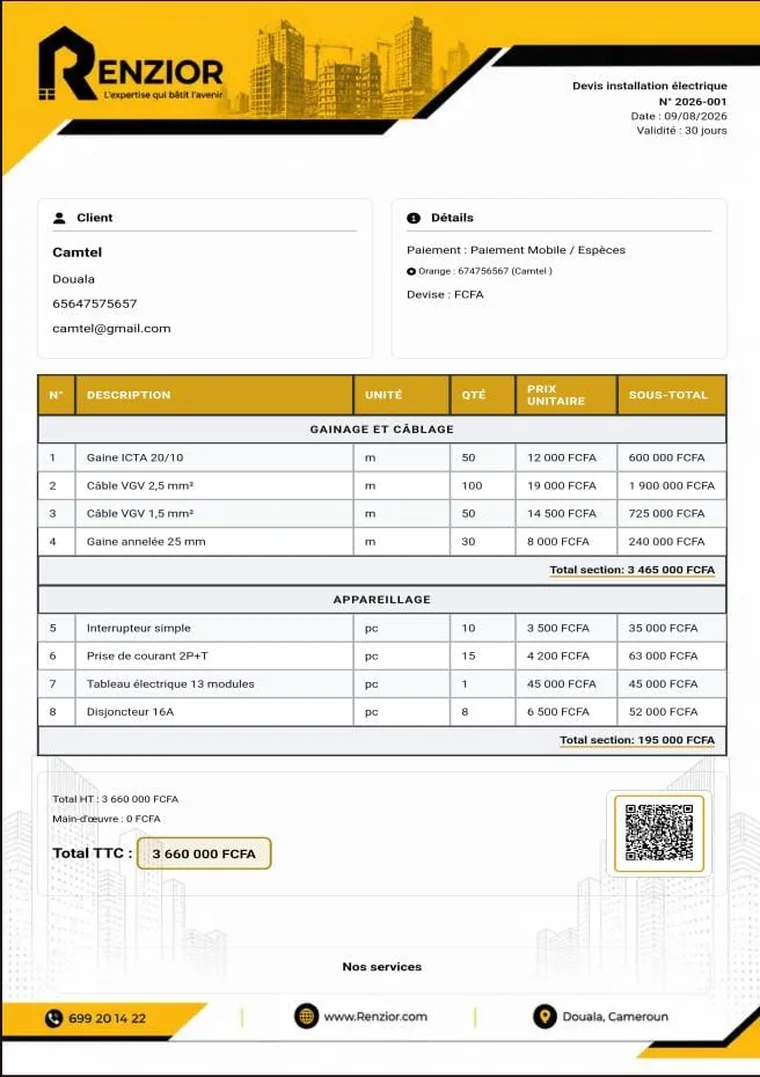
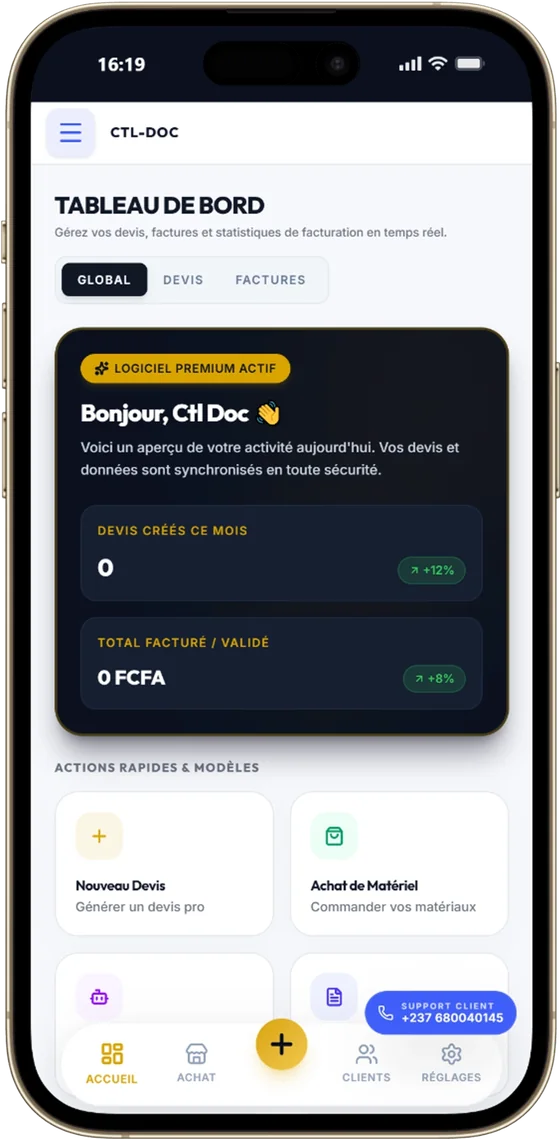
Sample electrical installation PDF quotation created with CTL-DOC CTL-DOC Android mobile quote app home screen Auto totals Offline on PC 1-click PDF
Android mobile
& Windows PC
Android & PC
Works offline
on Windows PC
Offline PC
Quotes backed up
in the cloud
Cloud backup
Customer support
on WhatsApp
WhatsApp help
ElectricianPlumberPainterCivil Engineering / ConstructionHVAC / RefrigerationSolar TechnicianNetwork TechnicianIT SpecialistMechanicCCTV / SecurityTilerWood CarpentryMetal WeldingBlacksmith / MetalworkIndustrial MaintenanceHydraulics (AEP)Aluminum JoineryGlazing / MirrorsElectricianPlumberPainterCivil Engineering / ConstructionHVAC / RefrigerationSolar TechnicianNetwork TechnicianIT SpecialistMechanicCCTV / SecurityTilerWood CarpentryMetal WeldingBlacksmith / MetalworkIndustrial MaintenanceHydraulics (AEP)Aluminum JoineryGlazing / Mirrors
Download & PWA

Download CTL-DOC for PC or Mobile.

Pick your device below to install the Progressive Web App (PWA) in one click or download the desktop/mobile package.Install the PWA in 1 tap or download for Windows PC.

Mobile PWA · Android & iOS

Carry CTL-DOC onto every job site.

Install CTL-DOC right onto your phone home screen in one tap, without waiting for an app store. Generate clean PDF quotes and share them on WhatsApp immediately.Install the app on your phone in 1 tap and share PDF quotes via WhatsApp.

1-tap PWA installation
Real-time cloud sync
1-click WhatsApp PDF share
Works on Android & iPhone
Lightweight PWA CTL-DOC mobile PWA app for quotes and invoices on smartphone Cloud-synced quotes
Simple

Create a PDF quotation in three steps.

No training needed, no complex menus: fill in your items, and CTL-DOC calculates totals and formats the PDF.

1

Create your account

Phone number, email, and password — your workspace is ready in one minute.
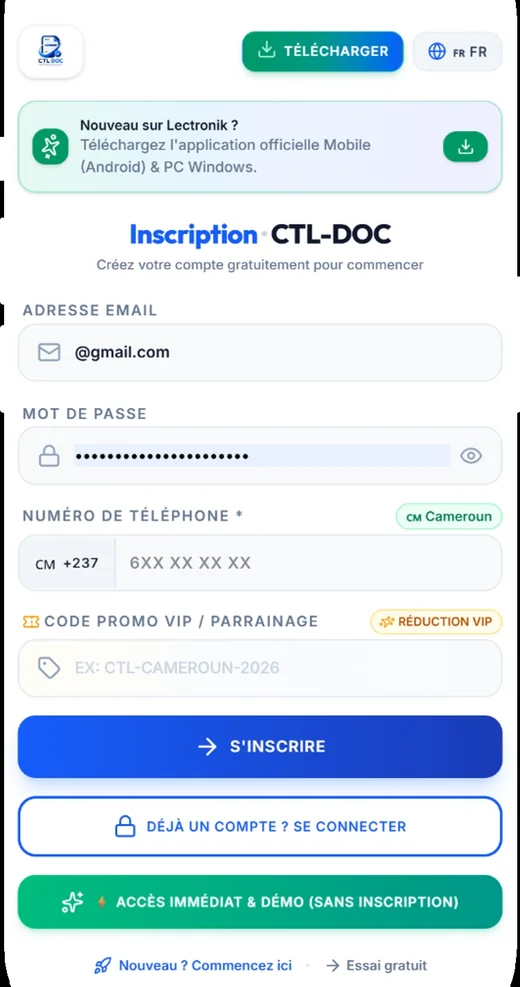
CTL-DOC mobile registration screen
2

Fill in your quote

Business logo, client details, and line items: autocomplete suggests materials and prices for your trade.
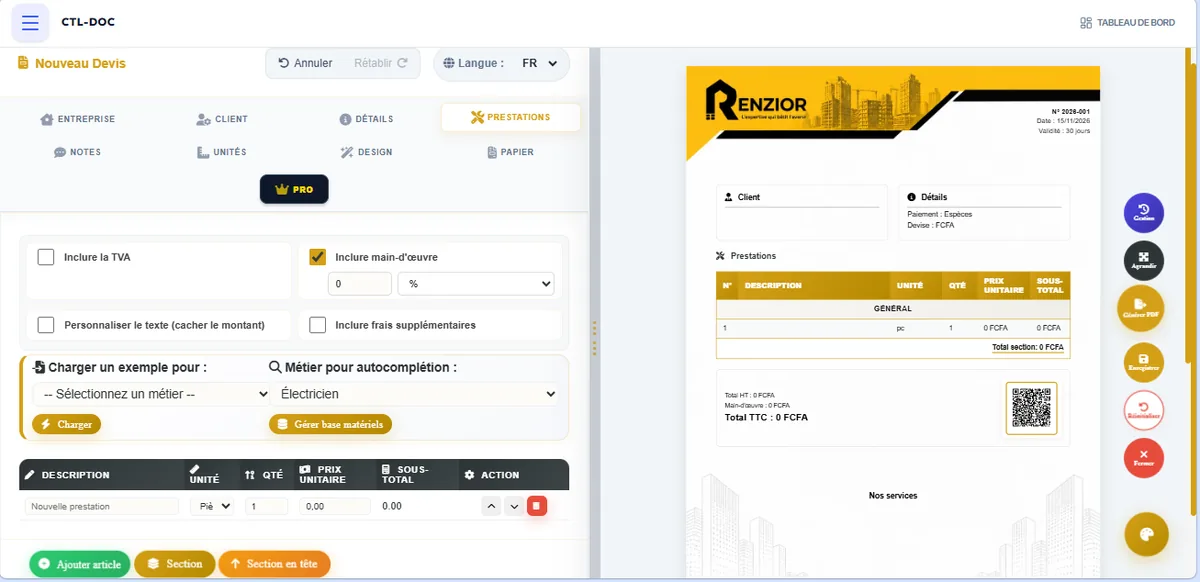
lectronik.com
CTL-DOC new quotation editor
3

Generate your PDF

Click Generate PDF, then Download: your quotation is saved and ready to send on WhatsApp or print.

Generated PDF quote from CTL-DOC PDF ready
Features

Everything built for clean quotes and invoices.

From item entry to final PDF export, every tool helps you work faster and look professional. Explore all features.

Fast quote editor

Sections, subtotals, optional VAT, labor costs, and extra charges are calculated automatically with zero math errors.

Optional VATLabor costSectionsSubtotals
CTL-DOC quotation editor with live document preview

Material database by trade

Editable materials and unit prices for every trade, complete with import and export.

18trades included

Custom letterheads

Save up to 6 letterheads with your company logo and pick one for each quotation or invoice.

Custom quote letterhead library in CTL-DOC

Stamp, watermark & fonts

Give every document the look and identity of your company.
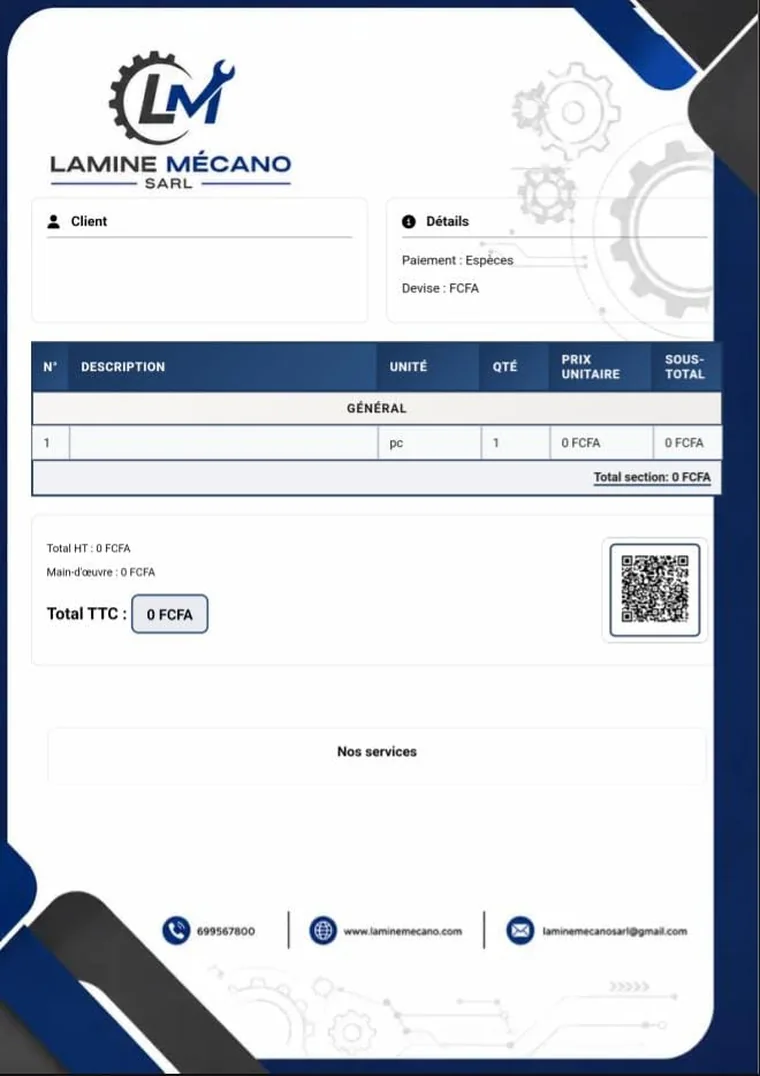
StampWatermarkFontsTable style
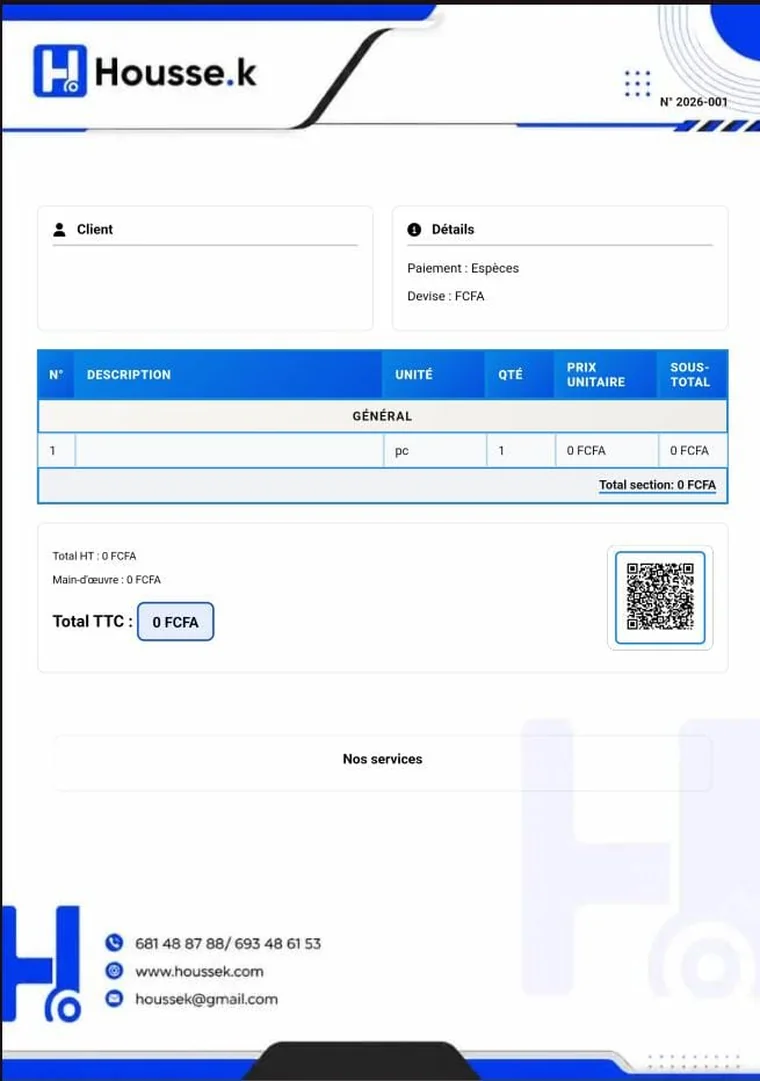
Mechanical PDF quote template with letterheadBlue custom letterhead PDF quote template

Secure cloud backup

Your quotations live in your account: lose your phone and still keep every single record.

Creating a PDF quote on Android mobile

Offline Windows PC software

Work on remote sites or without mobile data: the Windows PC version runs offline anytime.

CTL-DOC Windows PC offline dashboard

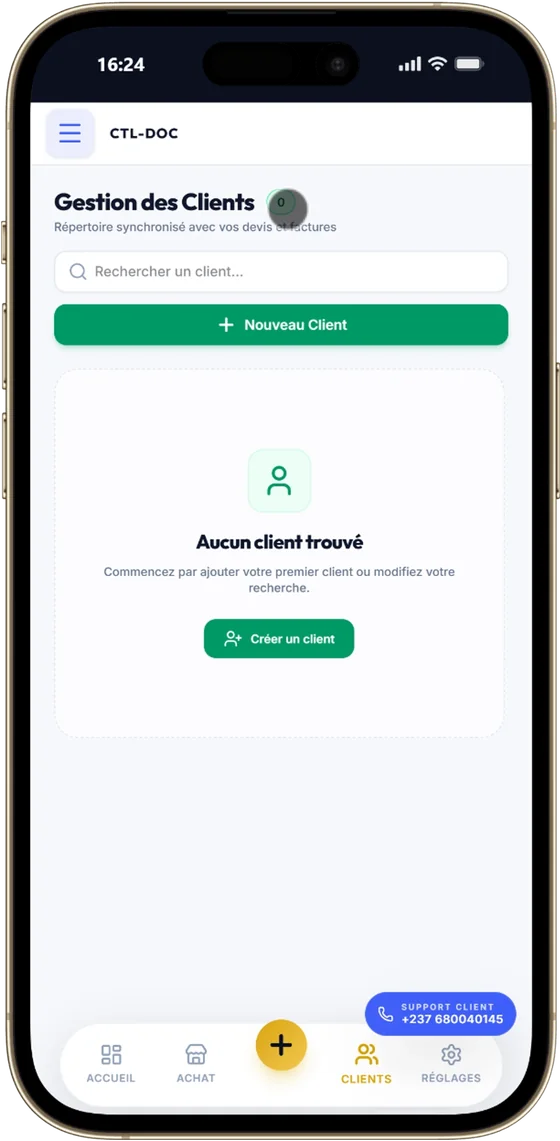
Clients & quote history

A client directory synced to your documents and a filterable history: pending, accepted, or declined.
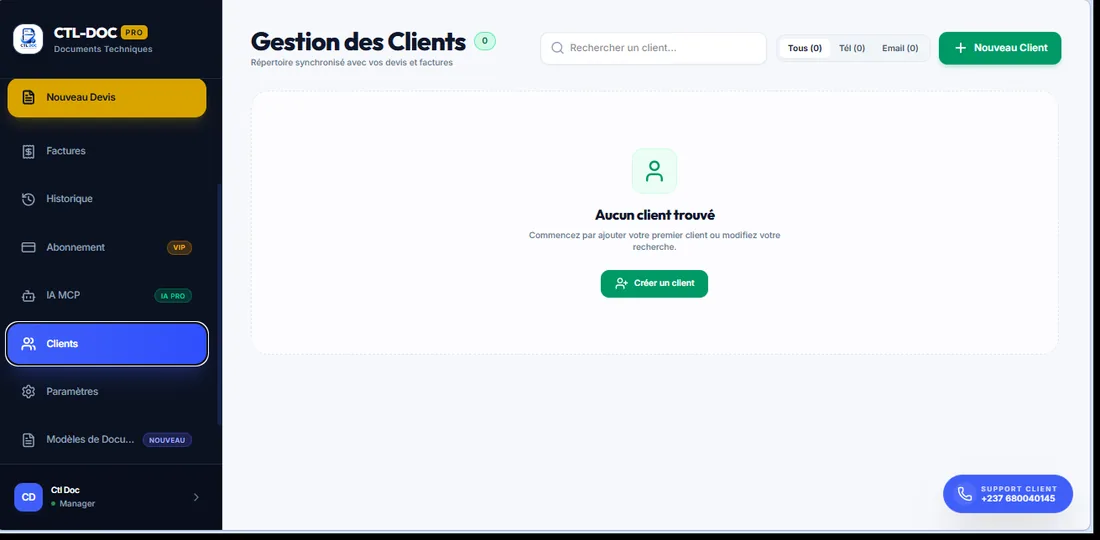
Client directory and quotation history in CTL-DOC

AI connector for even faster quoting (Pro)

Connect ChatGPT, Claude, or Gemini to CTL-DOC to dictate quotes, look up material rates, and send orders directly.

View Pro plan at 800 FCFA/mo
Beyond the quote

The right document, at the right time.

Quotation, invoice, deposit, progress billing, credit note, receipt… CTL-DOC guides you to the right document, links your documents together and tracks your payments.

01

Choose the right document

Not sure which document to send your client? CTL-DOC asks what you want to do and offers the right document, organised by stage.
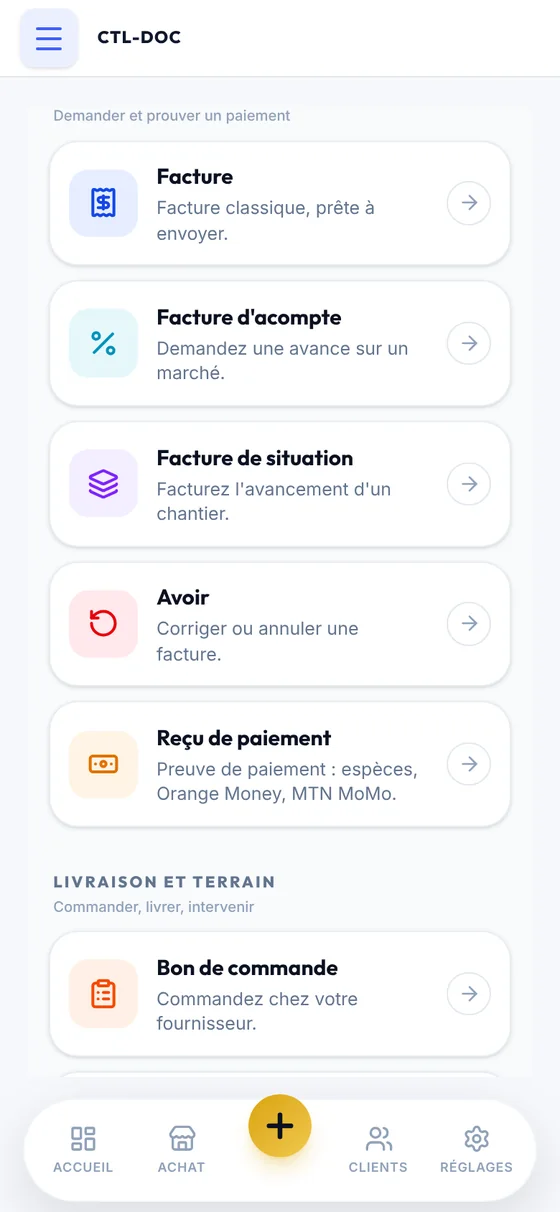
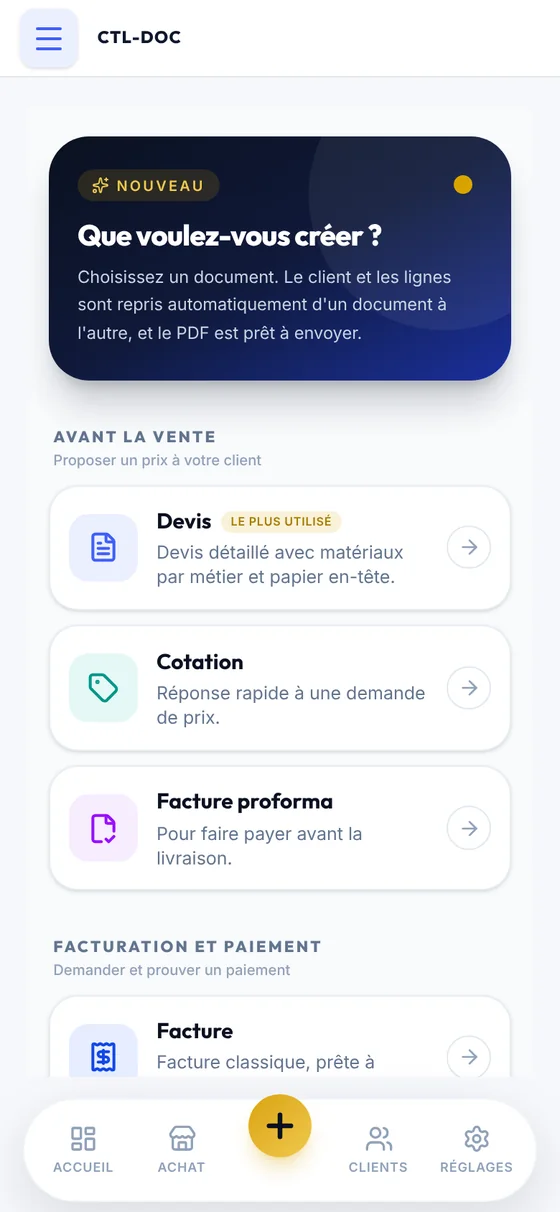
  • 11 document types: before the sale, billing and payment, delivery and field work
  • Client and line items carry over automatically from one document to the next
  • Automatic professional numbering that respects yours if you already have one
  • PDF ready to send on WhatsApp or print
CTL-DOC app screenshot: List of document types: invoice, deposit, progress billing, credit note, receipt, purchase order
CTL-DOC app screenshot: “What do you want to create?” screen with quotation, price offer and proforma invoice
QuotationProforma invoiceDepositDelivery note
02

Documents linked together

From quotation to receipt, every document stays linked to the previous one. Open a document or client folder and see the whole story of a job.
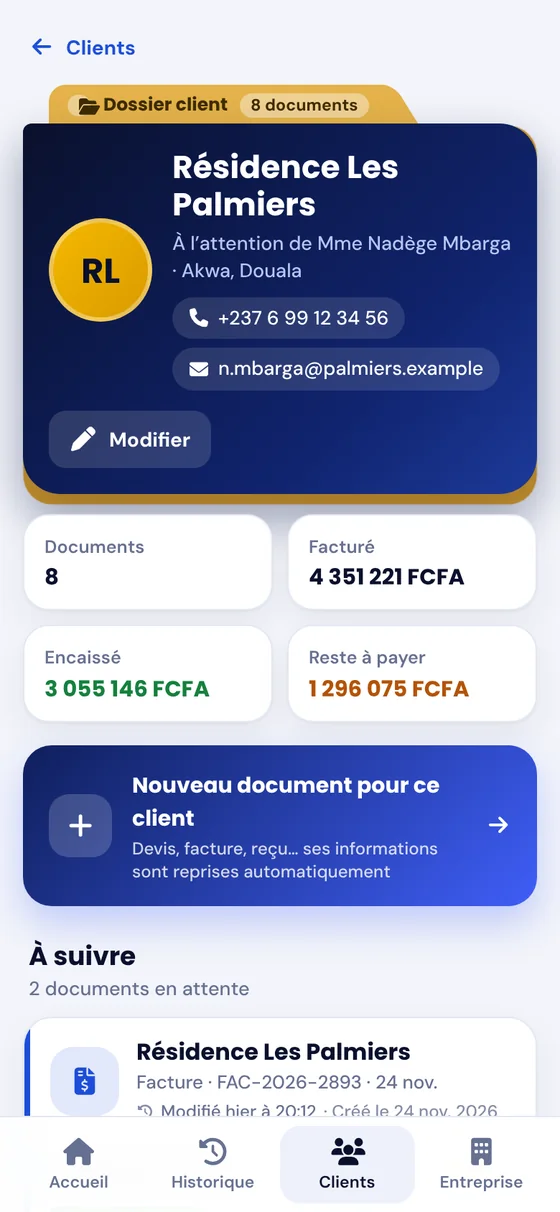
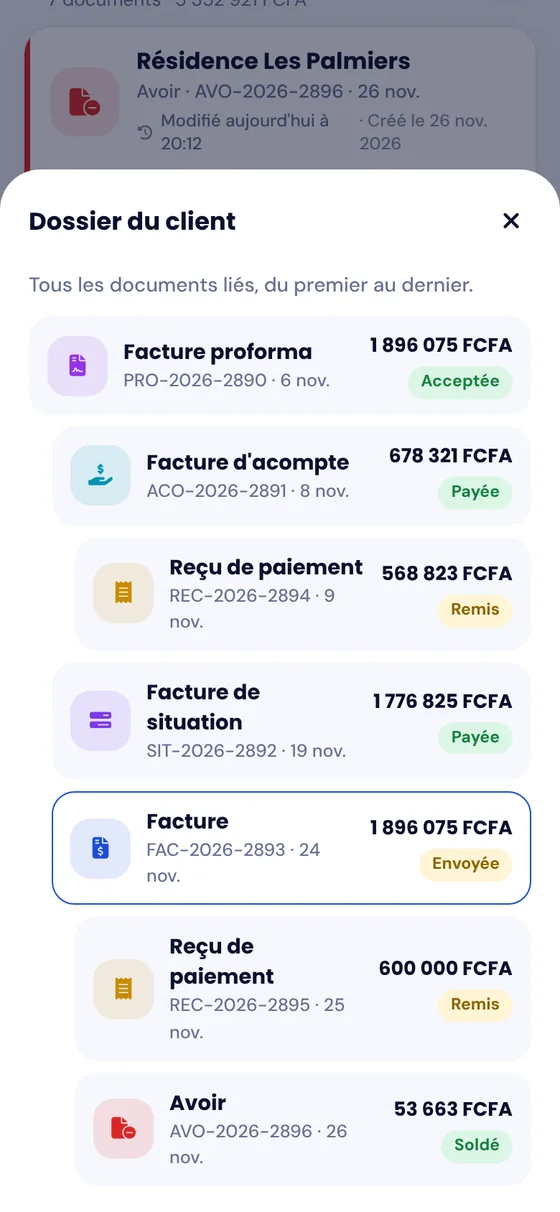
  • Proforma, deposit, progress billing, invoice, receipt and credit note linked automatically
  • Client folder: all documents, what is billed, collected and still due
  • “New document for this client”: their details are already filled in
  • Turn one document into another in one click, with nothing to retype
CTL-DOC app screenshot: Client folder with total billed, collected and balance due
CTL-DOC app screenshot: Document folder: proforma, deposit, receipt, progress billing, invoice and credit note linked
Proforma → InvoiceClient folder8 documentsBalance due
03

Documents that reassure your clients

Deposit, progress billing, credit note, stamp and signature, amount in words, QR code: your documents show how serious your business is before the first conversation.

  • Deposit invoice with the requested percentage and remaining balance
  • Progress billing: work completed and cumulative amounts
  • Credit note to correct or cancel an invoice cleanly
  • Stamp and signature placed anywhere, with a “Paid” mark once settled
CTL-DOC app screenshot: Progress billing invoice with stamp and signature
CTL-DOC app screenshot: Deposit invoice with company stamp, amount in words and QR code
30% depositProgress billingStamp & signatureCredit note
04

Payments and tracking, nothing forgotten

Know at any time who has paid, who still owes and who to chase. Each payment is recorded with its receipt, and your history stays sorted by last modification.

  • Simple tracking: draft, sent, paid, with a payment progress bar
  • Payment receipts (cash, Mobile Money, bank transfer) linked to the invoice
  • Total billed, collected and outstanding at a glance
  • History with creation date and last modification date
CTL-DOC app screenshot: Document history with creation and last modification dates
CTL-DOC app screenshot: Document tracking: status, payment bar and balance due
Paid 600,000Modified todayBalance dueSettled
Templates

Quotations that build client trust.

Electrical, plumbing, construction, or carpentry quotes: your clients receive a structured PDF tailored to your brand. Tap any template to zoom.
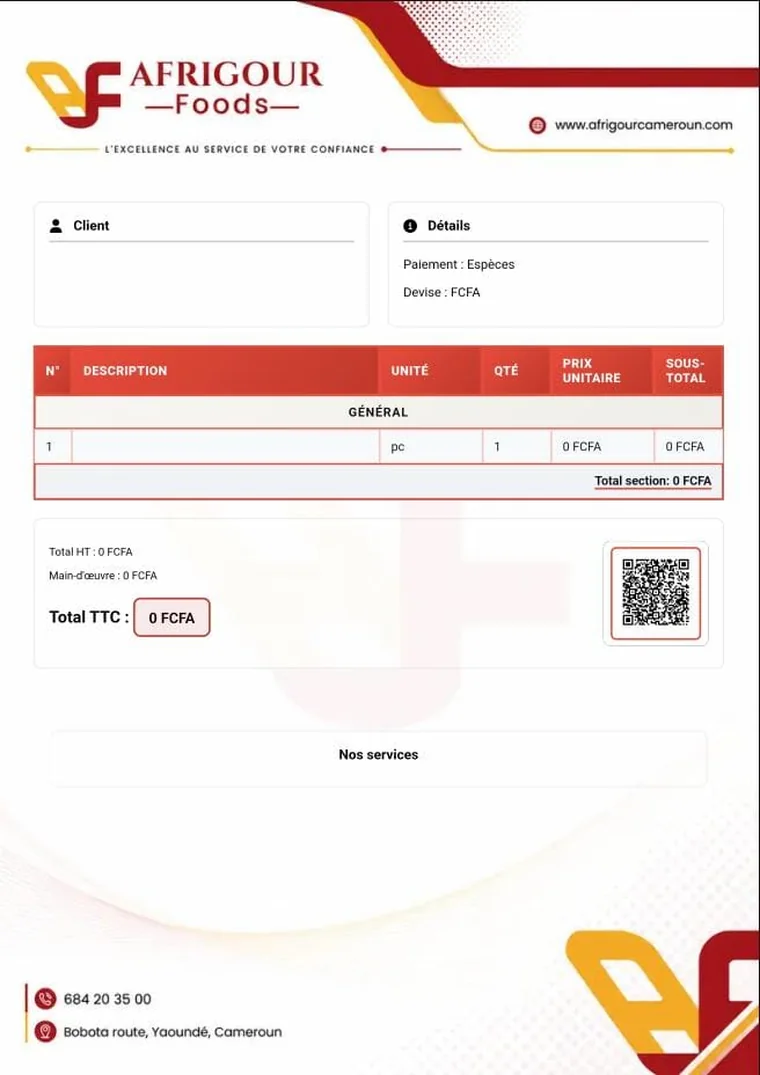
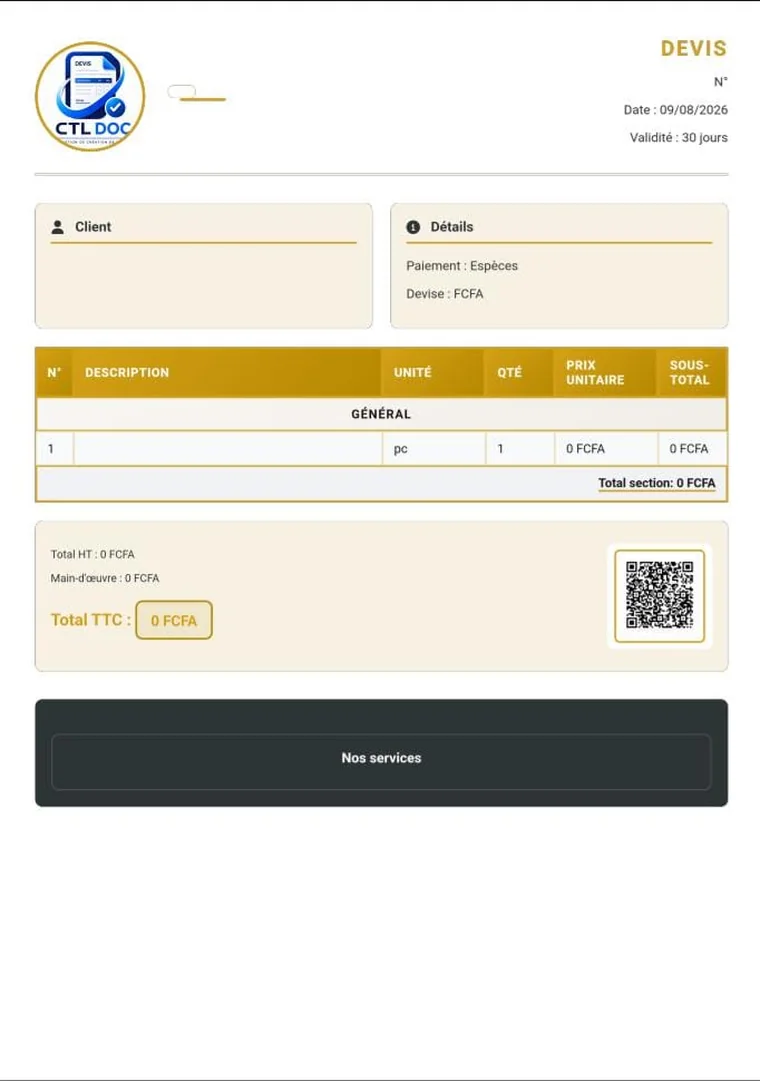
01 / 05
Electrical installation PDF quotation template
Electrical · A4 Format
Electrical installationYellow and black letterhead with automatic totals.
Blue custom letterhead PDF quotation template
Plumbing & Trade · Branded Logo · PDF
Custom blue letterheadYour logo, brand colors, and contact details.
Red custom letterhead PDF quotation template
Construction · Multi-Section
Custom red letterheadA dedicated style for each line of work.
Mechanical engineering PDF quotation template
Mechanical · Stamp & Watermark · A4
Mechanical templateA page background reflecting your technical craft.
Clean default CTL-DOC PDF quotation template
All Trades · Ready to Use · A4
CTL-DOC clean layoutReady to use out of the box and easy to customize.
Peace of mind

Lost your phone? Recover everything.

  • Your quotes and invoices stay saved in your secure cloud account.
  • Sign back in from another phone or PC and find every file intact.
  • Keep quoting offline on Windows PC whenever signal drops.
Cloud-saved blue PDF quotation previewCloud-saved red PDF invoice preview CTL-DOC mobile client list synced in the cloud
Pricing

Clear monthly plans.

One straightforward plan for Android mobile and Windows PC. No hidden fees.

Standard

Everything needed for daily quotes and invoices.

700FCFA / month
  • PDF quotations and invoices
  • Material database for 18 trades
  • Client directory and quote history
  • Custom letterhead with your logo
  • Android mobile & offline Windows PC
  • Secure cloud backup
Choose Standard
MOST COMPLETE

Pro

Built for speed, unlimited storage, and AI tools.

800FCFA / month
  • Everything in Standard
  • Advanced customization features
  • Unlimited storage
  • AI connector (ChatGPT, Claude, Gemini)
  • WhatsApp customer support
Choose Pro

Not sure which plan fits? Compare our pricing or message us on WhatsApp.

FAQ

Answers to common questions.

How do I create an account?
Go to lectronik.com, click Sign in, and register with your phone number, email address, and password.
Does CTL-DOC work on both phone and PC?
Yes. The app is available on Android mobile and Windows PC. You use the same account across both devices.
Does the PC version work without internet?
Yes, the Windows PC version works completely offline, which is ideal on job sites or in areas with weak network coverage.
What happens if I lose my phone?
Your quotes and invoices are safely stored in your secure cloud account. Just sign in from another device and retrieve everything.
Which trades are supported?
18 trades are covered: electrician, plumber, painter, civil engineering / construction, HVAC / refrigeration, solar technician, network technician, IT specialist, mechanic, CCTV technician, tiler, wood carpenter, metal welding, blacksmith / metalworker, industrial maintenance, hydraulics, aluminum joinery, and glazing. Every trade includes editable material prices.
Which documents can I create with CTL-DOC?
CTL-DOC lets you create eleven document types: quotation, price offer, proforma invoice, invoice, deposit invoice, progress billing, credit note, payment receipt, purchase order, delivery note and service report. All export to PDF.
How do I choose the right document?
Before the sale, send a quotation, a price offer or a proforma invoice. To ask for an advance use the deposit invoice; for a job done in stages use progress billing; then the final invoice. A credit note corrects or cancels an invoice and a receipt proves a payment. The app sorts them by stage to guide you.
How do I track payments and see who still owes me?
Each invoice has tracking (draft, sent, paid) and a payment progress bar. You record a payment, even a partial one, and CTL-DOC creates the receipt linked to the invoice. History and client folders show the total billed, collected and balance due.
What if I abandoned a quote halfway?
Your draft is kept. When you come back, even months later, CTL-DOC offers to continue that quote or start a new one. The old draft is never deleted.

Read the full FAQ and contact CTL-DOC

Ready to create your first quotation?

Set up your account in one minute. Your first professional PDF quote is only a few clicks away.

Professional PDF quotation created with CTL-DOC