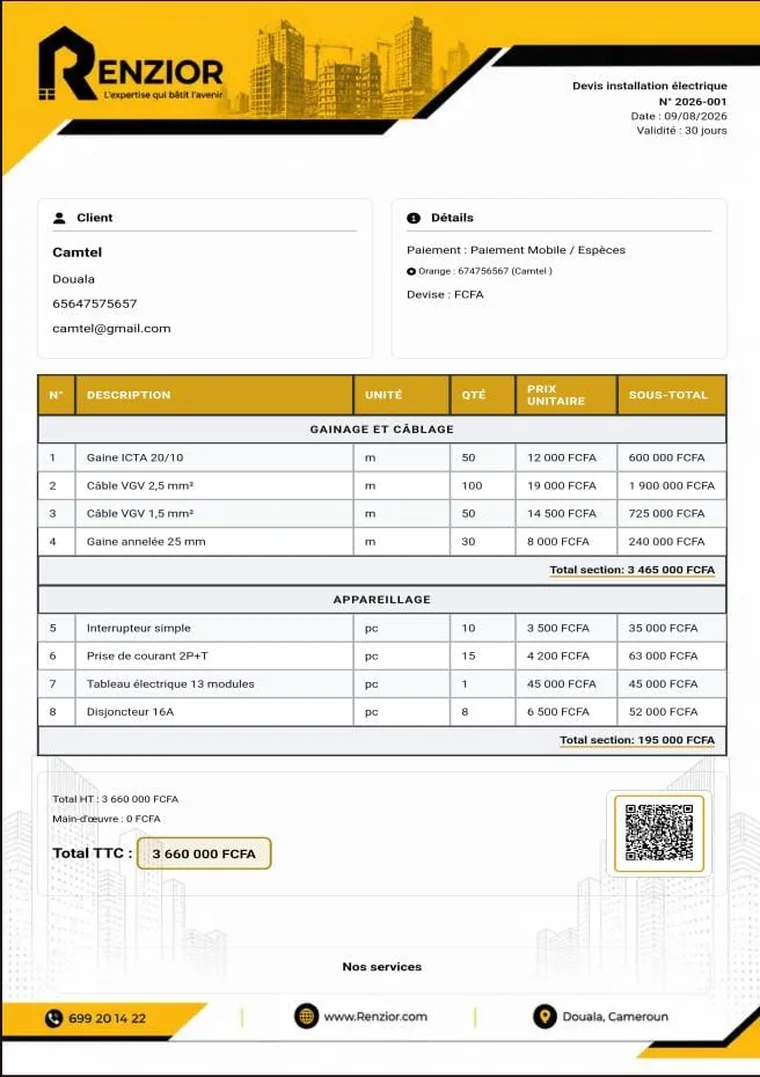
CTL-DOC WhatsApp support for quotes and invoices.
Have a question, want a product demo, or need help getting started? Message us directly on WhatsApp at +237 680 040 145.
The fastest way to reach our support team.
+237 680 040 145The Application
Sign in or create your account online.
lectronik.comCTL POWER
Publisher of CTL-DOC.
CTL-DOCWrite to us
Send a message, get a quick reply.
Fill in this form: your message opens ready to send in WhatsApp.
- Live application demo
- Help setting up your account
- Guidance choosing Standard or Pro
FAQ
All frequently asked questions.
How do I create an account?
Go to lectronik.com, click Sign in, and register with your phone number, email address, and password.
Does CTL-DOC work on both phone and PC?
Yes. The app is available on Android mobile and Windows PC. You use the same account across both devices.
Does the PC version work without internet?
Yes, the Windows PC version works completely offline, which is ideal on job sites or in areas with weak network coverage.
What happens if I lose my phone?
Your quotes and invoices are safely stored in your secure cloud account. Just sign in from another device and retrieve everything.
Which trades are supported?
18 trades are covered: electrician, plumber, painter, civil engineering / construction, HVAC / refrigeration, solar technician, network technician, IT specialist, mechanic, CCTV technician, tiler, wood carpenter, metal welding, blacksmith / metalworker, industrial maintenance, hydraulics, aluminum joinery, and glazing. Every trade includes editable material prices.
Can I use my own logo and letterhead?
Yes. You can store up to 6 letterheads with your company logo and select the one you want per quotation. Stamp, watermark, fonts, and table styles are also customizable.
How much does it cost?
Standard plan: 700 FCFA per month. Pro plan: 800 FCFA per month. Both work on Windows PC or Android mobile.
How do I download my quotation?
Inside the editor, click Generate PDF and then Download. The file is saved on your phone or PC, ready to send to your client.
How can I reach support?
Message us on WhatsApp at +237 680 040 145: we answer your questions and help you get started.
Which documents can I create with CTL-DOC?
CTL-DOC lets you create eleven document types: quotation, price offer, proforma invoice, invoice, deposit invoice, progress billing, credit note, payment receipt, purchase order, delivery note and service report. All export to PDF.
How do I choose the right document?
Before the sale, send a quotation, a price offer or a proforma invoice. To ask for an advance use the deposit invoice; for a job done in stages use progress billing; then the final invoice. A credit note corrects or cancels an invoice and a receipt proves a payment. The app sorts them by stage to guide you.
Are documents linked together?
Yes. You turn one document into another (for example a proforma invoice into an invoice) without retyping anything: the client and line items carry over. The folder of a document or a client gathers every linked document: proforma, deposit, progress billing, invoice, receipts and credit notes.
How do I track payments and see who still owes me?
Each invoice has tracking (draft, sent, paid) and a payment progress bar. You record a payment, even a partial one, and CTL-DOC creates the receipt linked to the invoice. History and client folders show the total billed, collected and balance due.
Can I add my company stamp and signature?
Yes. Upload your stamp image in the company settings, then place it on the document wherever you want: size, position and rotation are adjustable. Your logo, bank details and contact information are filled in automatically.
How are my documents numbered?
If you have no numbering, CTL-DOC suggests a professional one (for example FAC-2026-2890, then 2891…) depending on the document type. If you already have your own numbering logic, the app continues it for the next document.
Can I create a quote without an account?
Yes. Visitor mode lets you start a quote without creating an account; an account is only requested when you save or download the PDF.
How do I find an old document?
History sorts your documents by category and from most recently modified to oldest, showing the creation date and the last modification date. You can search by client or number and filter by period and status.
What if I abandoned a quote halfway?
Your draft is kept. When you come back, even months later, CTL-DOC offers to continue that quote or start a new one. The old draft is never deleted.
Ready to switch to professional quotes?
Create your account now, or message us on WhatsApp for a quick demo.